
Configure WebDAV access permissions
Control anonymous access, WebDAV username and password, Bonjour discovery, binding address, and port settings in Zwind.
Zwind has two groups of settings that decide how other devices connect to a server. Authentication decides whether a client must send a username and password. Binding Address, Port, and Bonjour Broadcasting decide where the server listens and how clients find it on the local network.
Open Home, select the server, then tap Edit. The screenshots use the English app UI.
Listen on the right address and port
The SERVER section contains the address fields that affect the WebDAV URL.
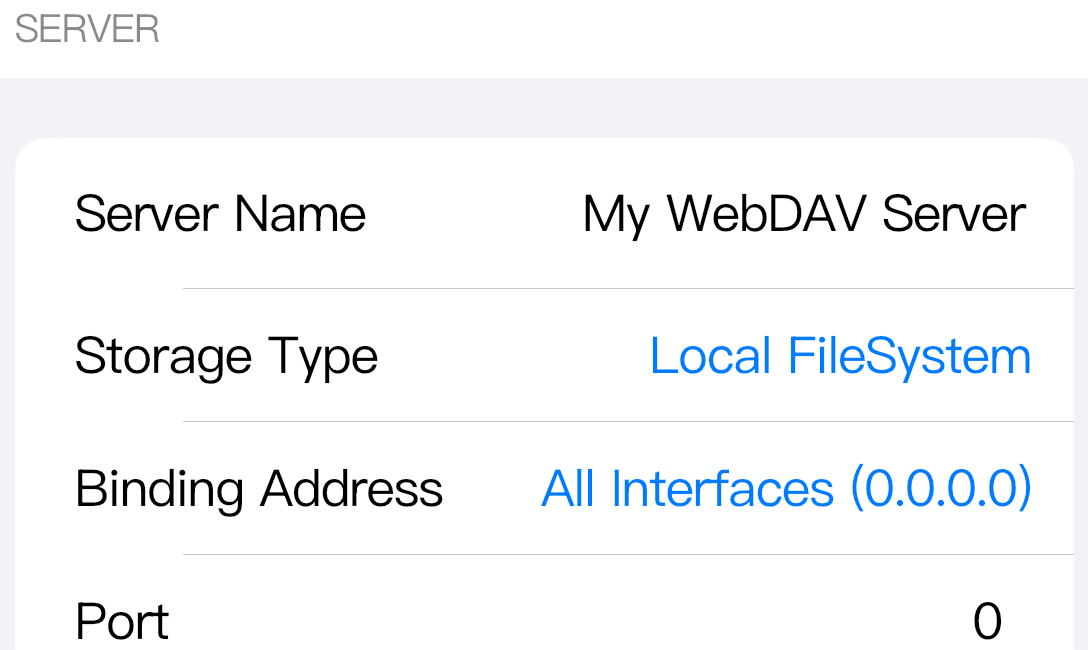
Binding Address is the local address Zwind binds when the server starts.
- All Interfaces (0.0.0.0) listens on every available local interface. This is the normal choice when another phone, computer, TV, or media player needs to connect over Wi-Fi.
- Loopback (127.0.0.1) listens only on the same device. Other devices on the LAN cannot connect to a server bound to loopback.
- A specific interface address, such as a Wi-Fi address, listens only on that interface. Use the address shown after the server is Running, because the device may receive a different IP after changing networks.
Port is the WebDAV port. When Port is exactly 0, Zwind asks the system for an available port each time the server starts. That is why the final URL should come from the Running card. If you enter a fixed port, Zwind uses that port value, provided the port can be bound on the selected address. If the fixed port is already occupied or blocked, the server cannot start on that port.
Decide whether clients need credentials
In AUTHENTICATION, keep Allow Anonymous Access on when you want clients to connect without WebDAV credentials.
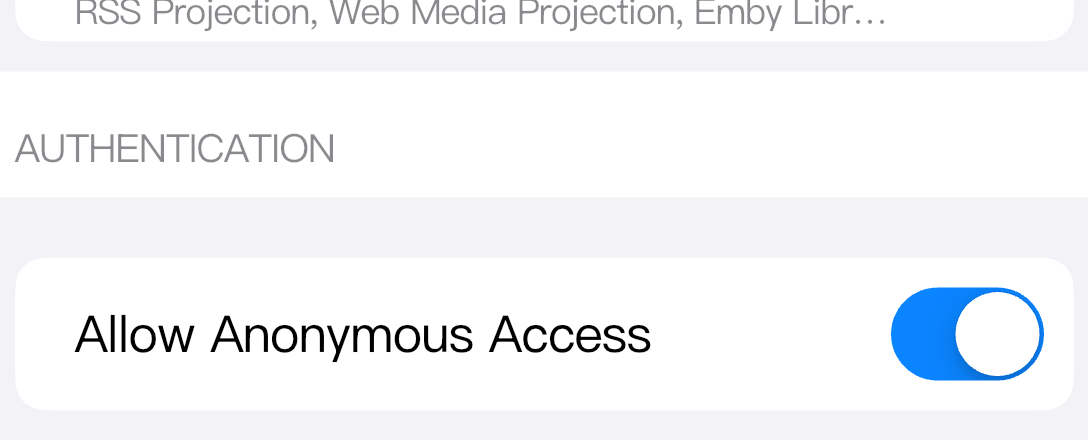
When Allow Anonymous Access is off, Zwind requires the connection Username and Password fields. Enter those same values in the third-party WebDAV client, file manager, TV app, or media player. If a client keeps asking for credentials, check the exact username, password, protocol, host, and port being used by that client.
These credentials protect WebDAV connections to this server. They are separate from Server Lock settings, which protect start or stop actions inside Zwind. Changing the server lock password does not change the password that WebDAV clients use unless you also change the connection Password field in AUTHENTICATION.
If Zwind asks to unlock VIP when you turn off anonymous access, complete that unlock path first; the username and password fields appear only after the setting is allowed.
Choose Bonjour discovery behavior
Bonjour Broadcasting is in ADVANCED. It controls local network discovery, not the actual permission check.
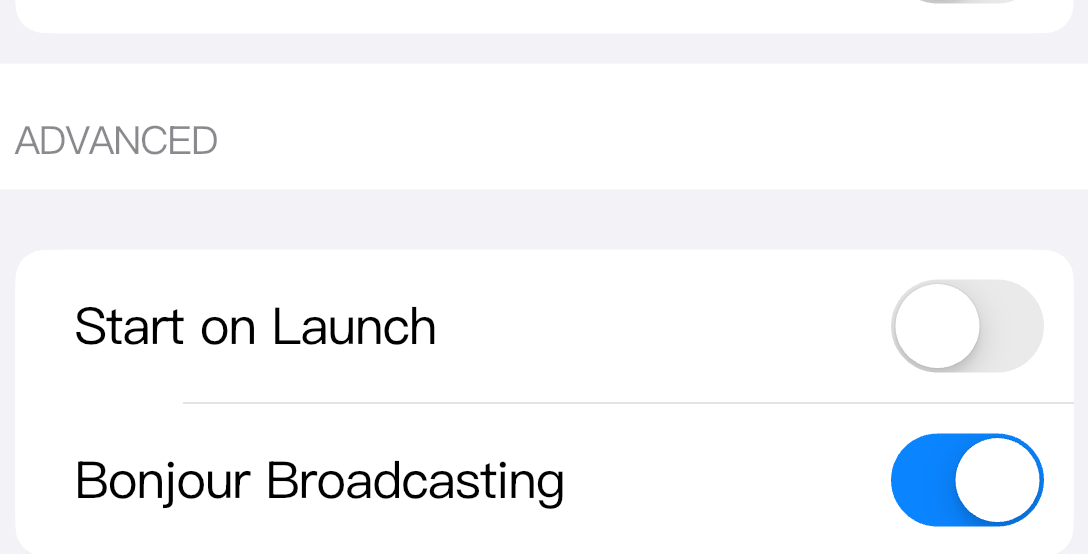
With Bonjour on, compatible apps on the same local network may show the Zwind server automatically. With Bonjour off, the server can still be reached by entering the full URL manually, as long as the binding address, port, network, and credentials are correct.
Bonjour does not open a blocked address, bypass authentication, or make a loopback-bound server reachable from another device. Treat it as a discovery shortcut.
Use the Running card as the final source
After saving settings, start the server. The selected server card shows the current status and address.
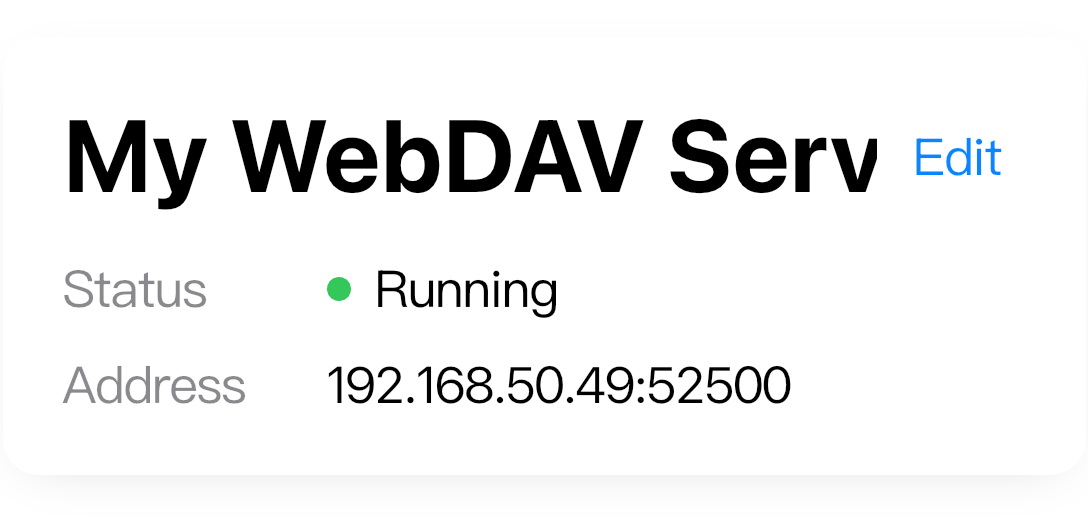
Use the full URL format:
http://<shown-address>:<shown-port>For the screenshot, the URL is:
http://192.168.50.49:52500When Port is 0, the shown port may change after a restart. When the server uses All Interfaces (0.0.0.0), the saved configuration may contain 0.0.0.0, but clients should use the reachable IP shown while the server is Running, not 0.0.0.0.
Which settings affect LAN access
Use this table when a local network client cannot connect.
| Setting | What it changes | Connection impact |
|---|---|---|
| Allow Anonymous Access | Whether WebDAV clients need credentials | Off means every client must send the configured username and password. |
| Username / Password | The WebDAV credentials for this server | Wrong values cause authentication prompts or 401-style failures. |
| Binding Address | Which local interface accepts connections | 127.0.0.1 blocks other devices; 0.0.0.0 is the usual LAN option. |
| Port | The TCP port in the URL | 0 picks an available port at start; a fixed port must be bindable. |
| Bonjour Broadcasting | Automatic discovery on the local network | Off hides discovery but does not block a manually entered URL. |
If the server is Running and the same URL works from Zwind’s built-in Browser but not from another device, focus on the other device’s network path and the exact URL fields it is sending.