
Connect third-party WebDAV clients and players
Fill Zwind's WebDAV URL and credentials into file managers, phones, TVs, and media players.
Most WebDAV clients need the same information: protocol, host, port, optional path, and optional username and password. Zwind shows the address after a server is running; use that address as the source of truth for computers, phones, TVs, and media players.
The screenshots use the English app UI. On a Chinese UI, Running is 运行中, Address is 地址, Binding Address is 绑定地址, Port is 端口, and Allow Anonymous Access is 允许匿名访问.
Get the current URL from Zwind
Start the server, then read the Address row on the running server card. In the screenshot, the address is 192.168.50.49:52500, so the WebDAV URL is:
http://192.168.50.49:52500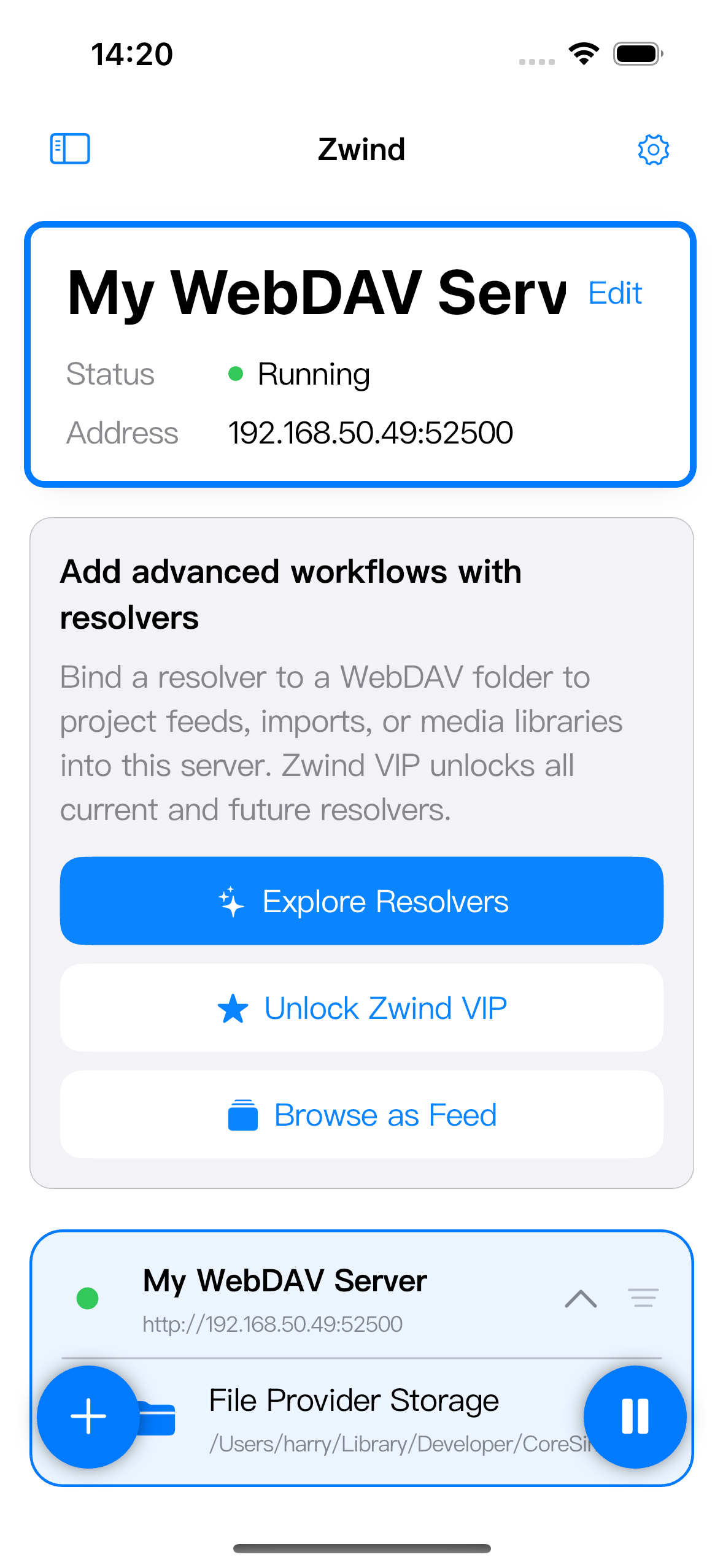
If the app shows a full URL in the running mini card, copy or reuse that full value. If the card shows only address:port, add http:// before it unless your client has separate protocol and host fields.
Do not enter 0.0.0.0 in another device’s client. 0.0.0.0 is a listening setting inside Zwind; third-party clients need the reachable IP shown after the server is Running.
Check the port before saving a client profile
Open the server’s Edit screen when you need to understand why the port changed.
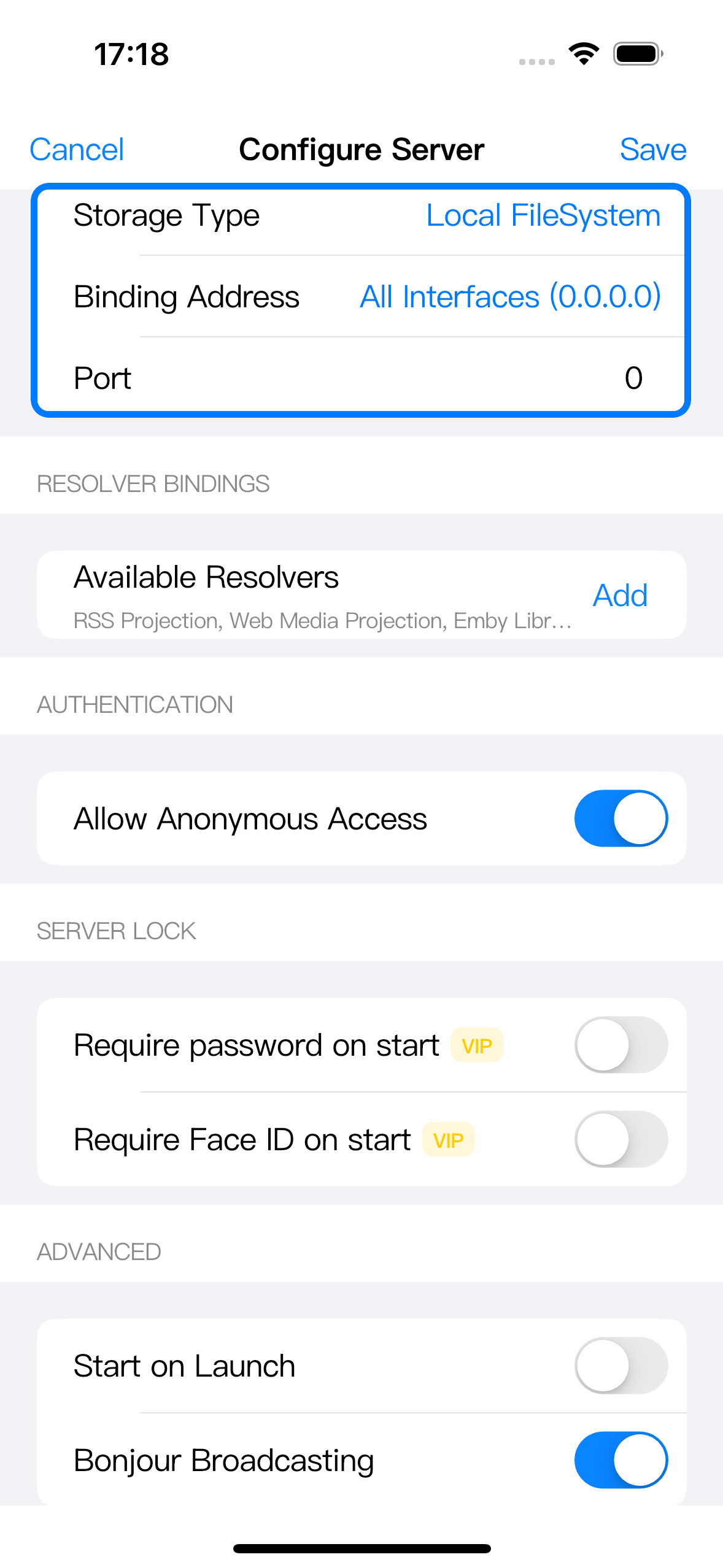
Port behaves in two different ways:
- If Port is
0, Zwind chooses an available port when the server starts. The port can change after a restart, so update third-party clients from the Running card. - If Port is a fixed value such as
8080, clients should keep using that fixed port, as long as the server starts successfully on it.
For LAN access, All Interfaces (0.0.0.0) is normally the right binding address. Loopback (127.0.0.1) only works on the same iPhone or iPad, so a computer, TV, or other phone on Wi-Fi will not reach it.
Fill credentials according to anonymous access
In Authentication, check Allow Anonymous Access.
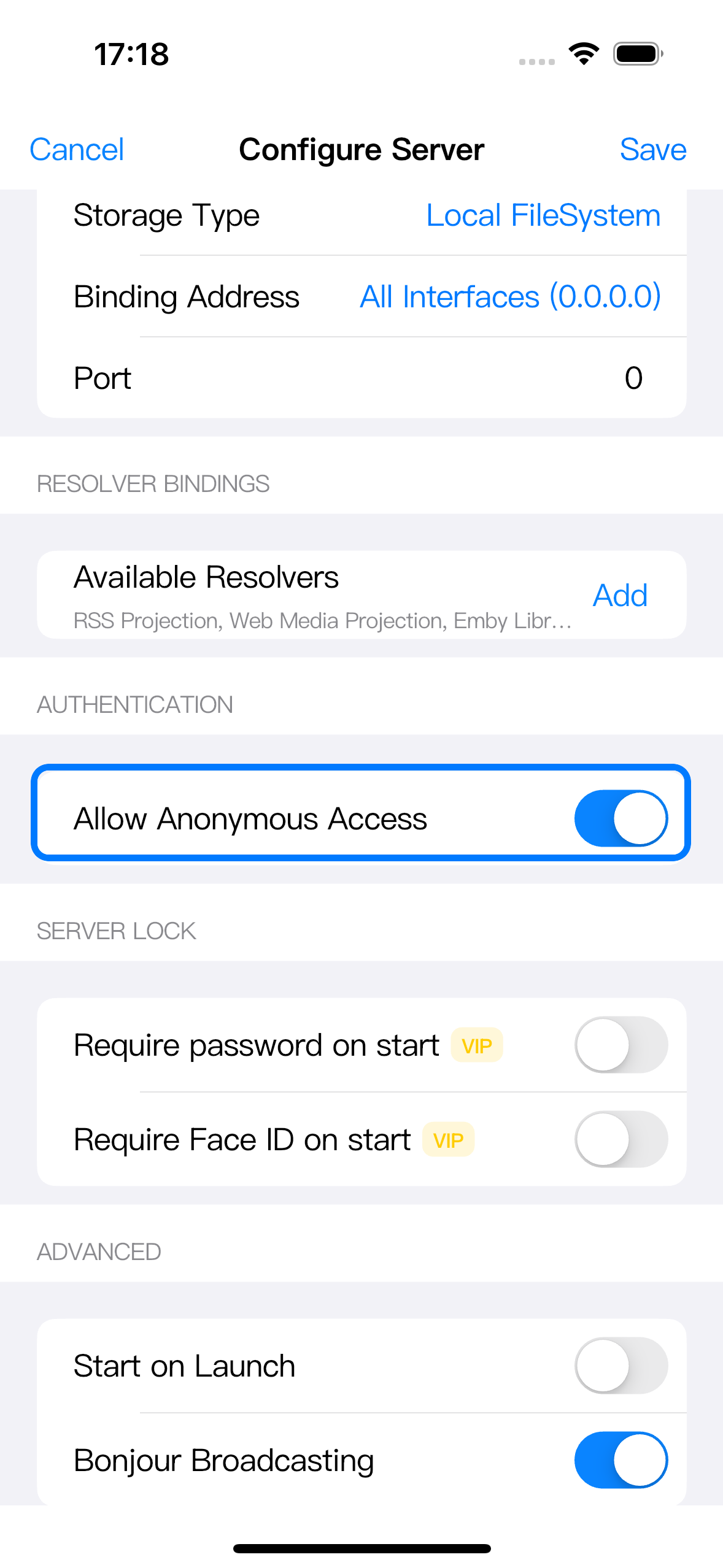
When Allow Anonymous Access is on, leave username and password empty in the third-party client. If the client insists on a login method, choose anonymous, guest, none, or blank credentials.
When Allow Anonymous Access is off, enter the Username and Password configured in this server’s Authentication settings. These are the WebDAV connection credentials. They are not the same as SMB credentials for an SMB-backed server, and they are not the Server Lock password used to protect start or stop actions inside Zwind.
Map common client fields
Different apps name the same WebDAV pieces differently. Use this mapping when creating a connection profile:
| Client field | Fill with |
|---|---|
| Protocol / Scheme | http, unless you are connecting through your own HTTPS proxy, tunnel, or URL that explicitly starts with https://. |
| Server / Host / Address | The IP or host from Zwind’s running card, for example 192.168.50.49. |
| Port | The number after the colon, for example 52500. |
| URL / Server URL | The full URL, for example http://192.168.50.49:52500. |
| Path / Remote path / Directory | Usually / for the server root, or a folder path such as /File Provider Storage/Movies/. |
| Username | Blank when anonymous access is on; otherwise the server Authentication username. |
| Password | Blank when anonymous access is on; otherwise the server Authentication password. |
| Display name / Nickname | Any name you want, such as Zwind iPhone. This does not change the server URL. |
On desktop file managers, you may paste the full URL into a Server URL field. On mobile file managers, the form may split host, port, path, username, and password into separate rows. TV players and media players often use Server, Port, Path, Account, and Password. The values are the same; only the labels differ.
Use folder URLs when a player should open one directory
Use the root URL when you want the client to browse all mounted folders:
http://192.168.50.49:52500/Use a directory URL when a player should start inside one folder:
http://192.168.50.49:52500/File%20Provider%20Storage/Movies/If the client has a separate Path field, enter the server part and the path separately:
Server URL: http://192.168.50.49:52500
Path: /File Provider Storage/Movies/
Keep the same folder names and slashes that Zwind shows in Browser. If a client asks for a URL in one field, encode spaces as %20. If it has a plain path field, spaces are usually accepted as typed.
Understand LAN, HTTP, and discovery
The address from Zwind usually works only on the same local network. Put the computer, phone, TV, or player on the same Wi-Fi as the iPhone or iPad running Zwind. A mobile hotspot, guest Wi-Fi, VPN, or router isolation setting can make two devices unable to reach each other even when both have internet access.
Zwind’s local URL is normally http://.... If a client silently changes it to https://..., the connection will fail unless you are intentionally using an HTTPS reverse proxy or tunnel in front of Zwind.
Bonjour can help compatible clients discover the server name automatically on the local network. Discovery is a convenience, not the connection itself. Manual entry of the full running URL is the most stable method, especially on TV apps and media players that only partially support Bonjour.
For the detailed meaning of access settings, see Configure WebDAV access permissions.