

Project RSS or OPML as a WebDAV folder
Bind RSS Projection to a WebDAV folder, create .rss marker files, and browse RSS, Atom, or OPML sources as virtual directories in Zwind Browser.
RSS Projection turns an RSS, Atom, or OPML URL into a WebDAV directory. You bind the resolver to a folder such as /Feeds, place .rss marker files inside that folder, and Zwind presents each marker as a virtual feed tree with feed metadata, item folders, Markdown summaries, and media/link files when the feed provides them.
The screenshots use the English app UI.
Bind RSS Projection to a folder
Open the server settings, add or edit a resolver binding, choose RSS Projection, keep it enabled, and set the binding path to the folder where feed marker files will live. A common setup is a data folder mounted as /Feeds with the RSS Projection binding also set to /Feeds.
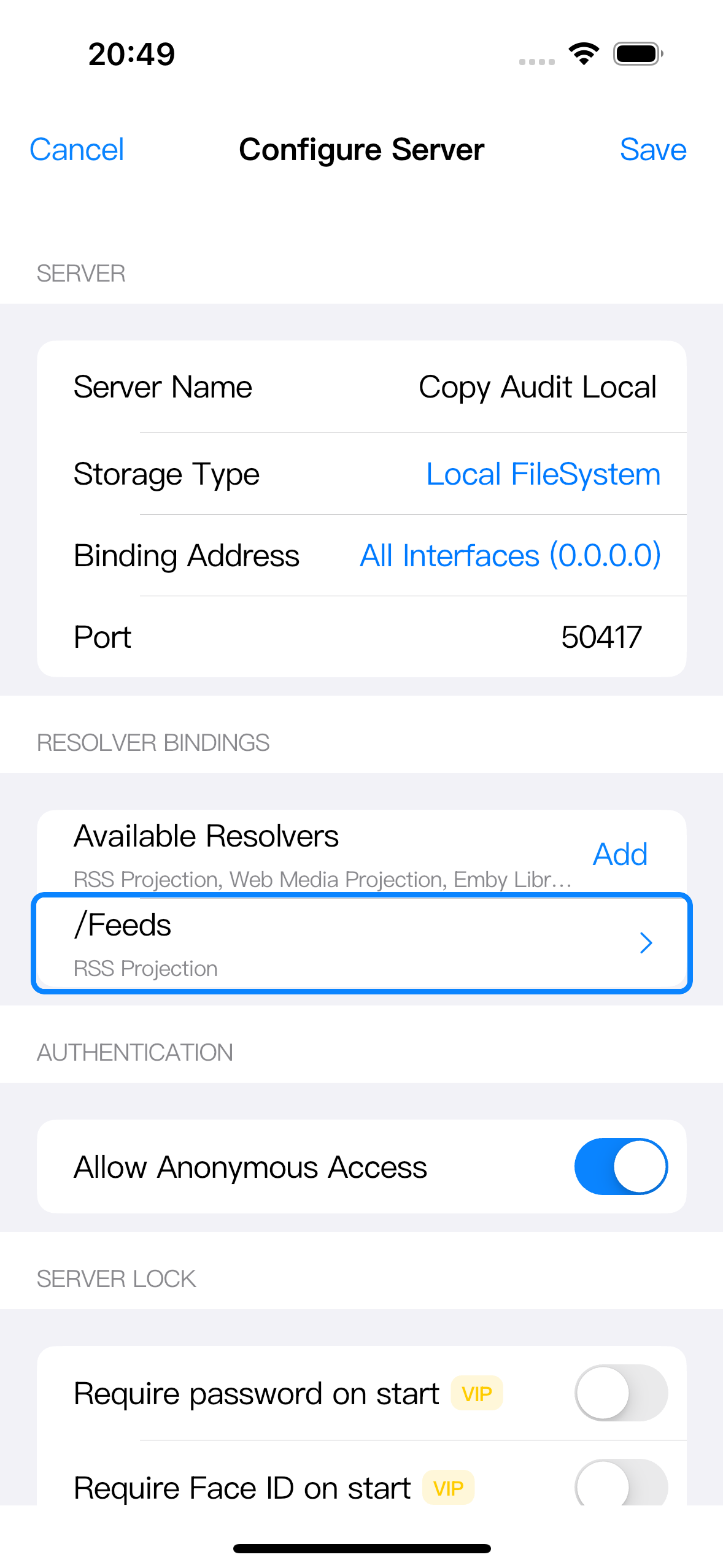
The binding path must be inside a folder exposed by this WebDAV server. If your data folder appears in Browser as /Files, use a path such as /Files/Feeds; if the data folder itself is mounted as /Feeds, use /Feeds.
After saving a new or changed binding, restart the server or start it again from Home. The native WebDAV server reads resolver bindings when it starts. If the RSS Projection resolver is locked when you add the binding, unlock that resolver or Zwind VIP from the lock prompt before continuing.
Create a .rss marker file
Open the bound folder in Browser. Create a new text file whose name ends with .rss, for example news.rss, podcasts.rss, or reading-list.rss.
Open the file in Text Editor, put one URL in the file, then tap Save. The URL can point to an RSS feed, an Atom feed, or an OPML file.
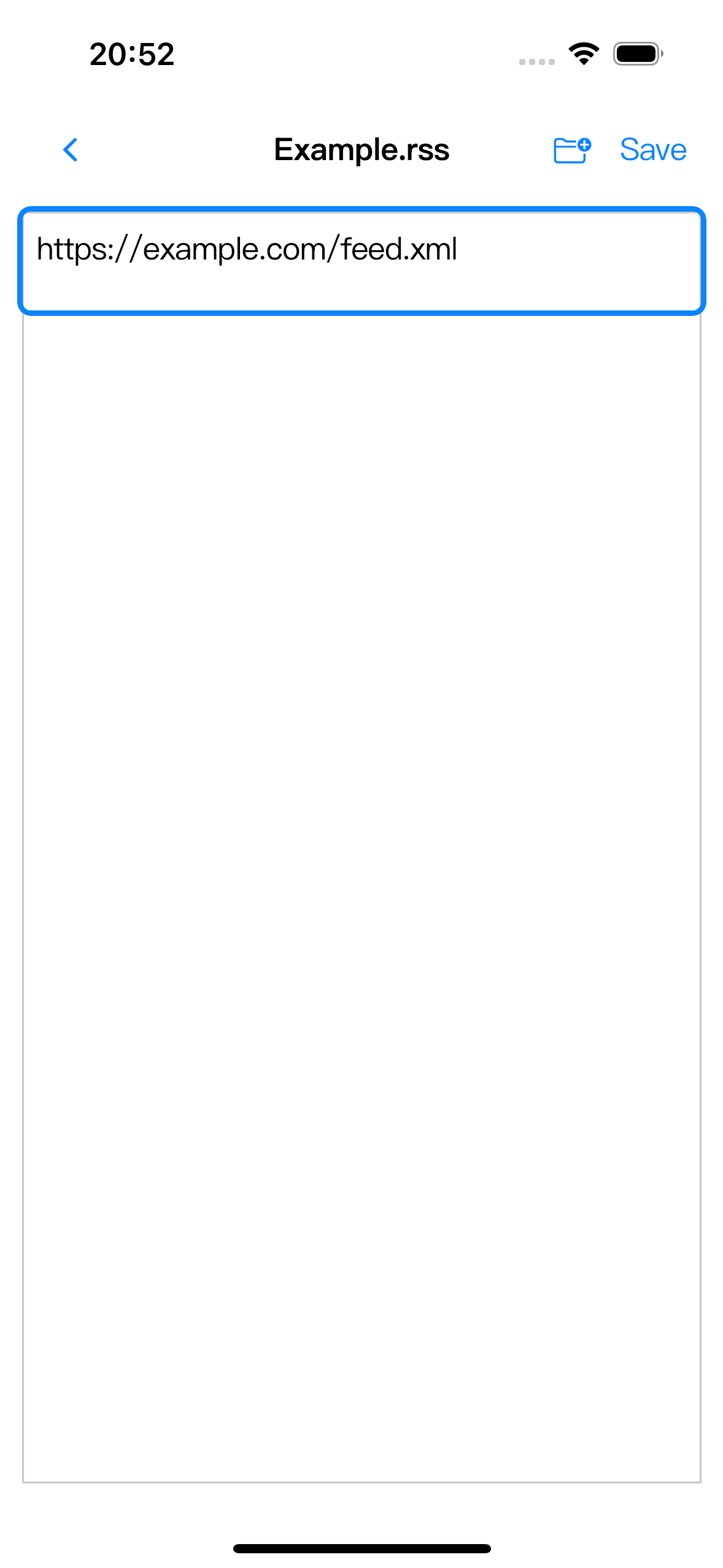
The marker file content should be just the URL, without source= or other key names. You can create marker files directly in Browser, from a WebDAV client, or through Feed View’s Add Feed flow.
Refresh and browse the projected folder
Return to Browser and refresh or re-enter the bound folder. Marker files inside the RSS binding appear as browseable entries.
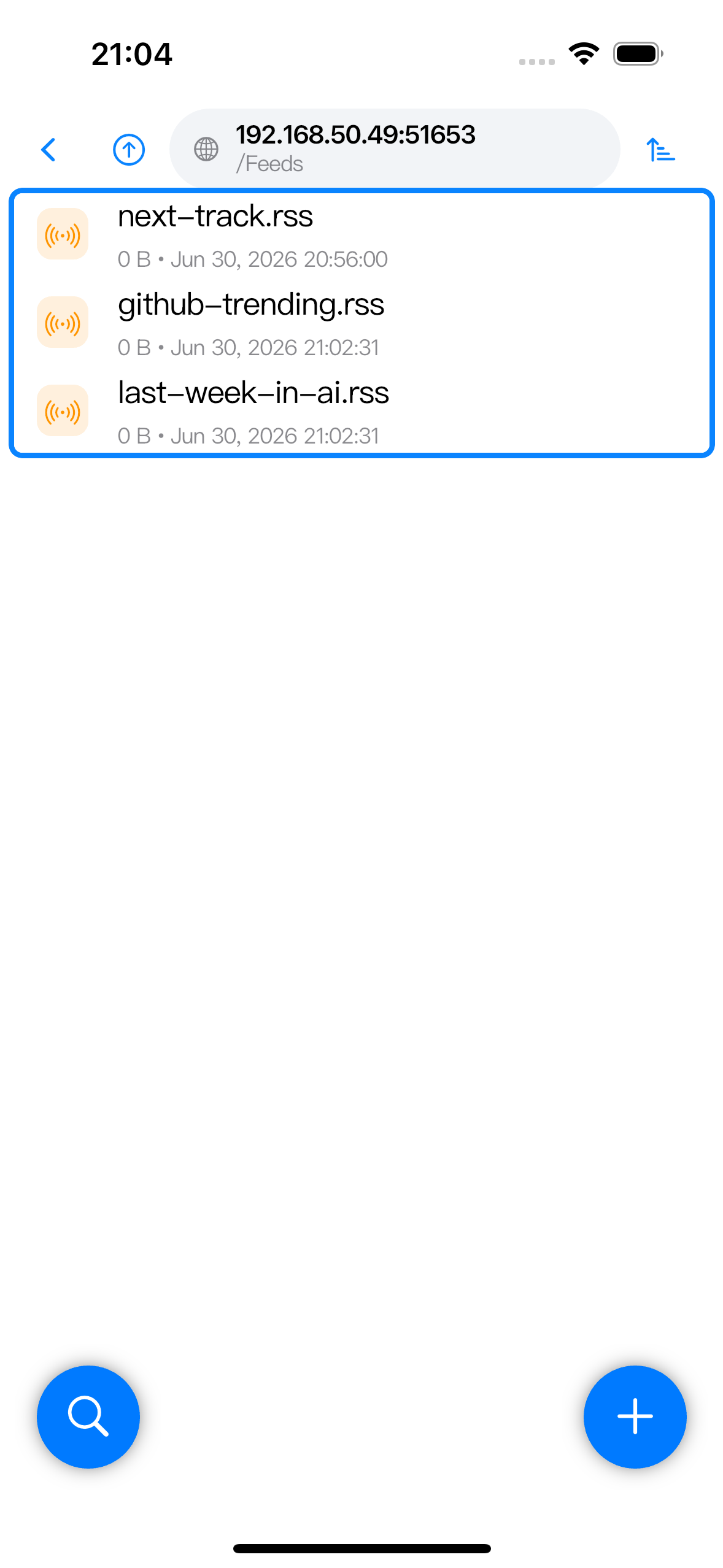
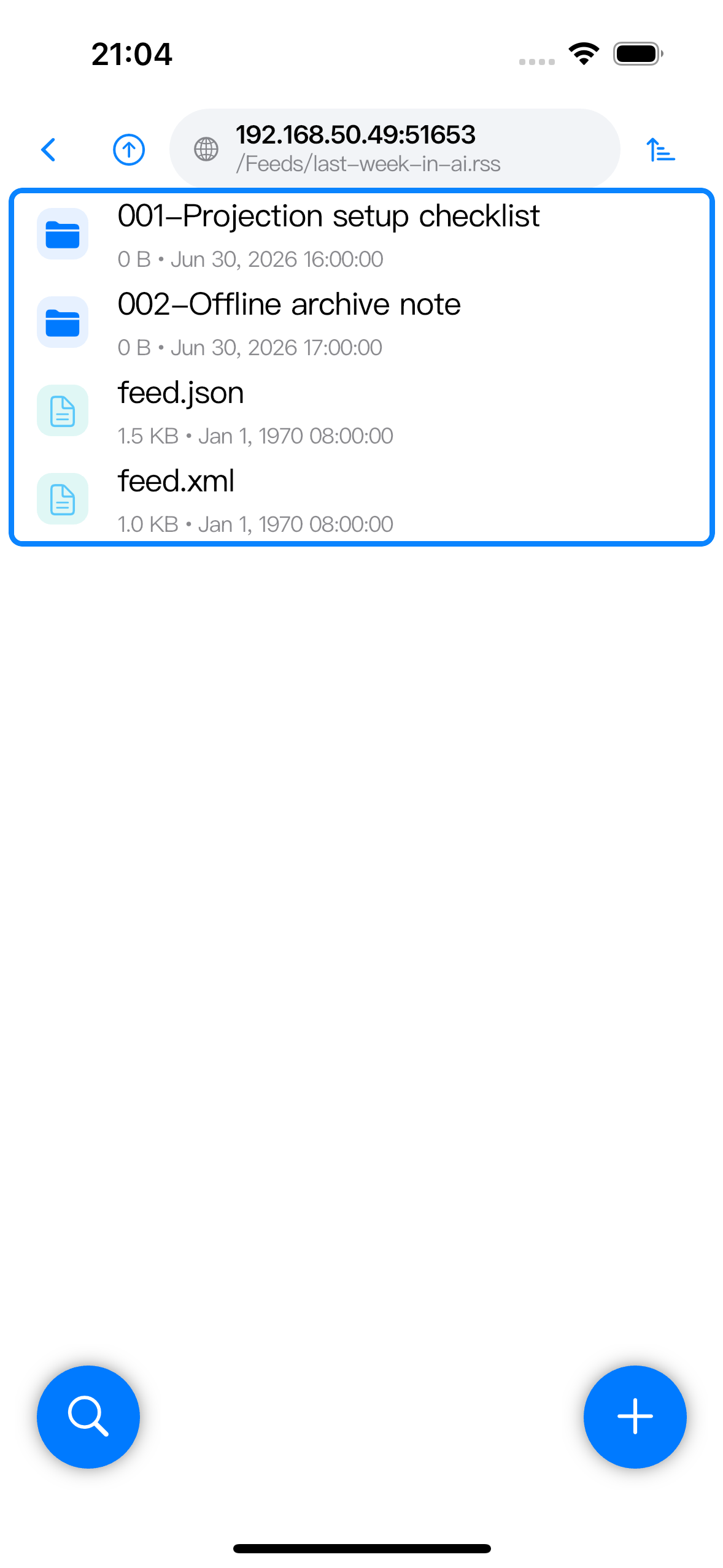
Open a marker such as last-week-in-ai.rss. Zwind resolves the feed and shows the current feed window as a directory. Feed-level files such as feed.json and feed.xml appear beside item folders.
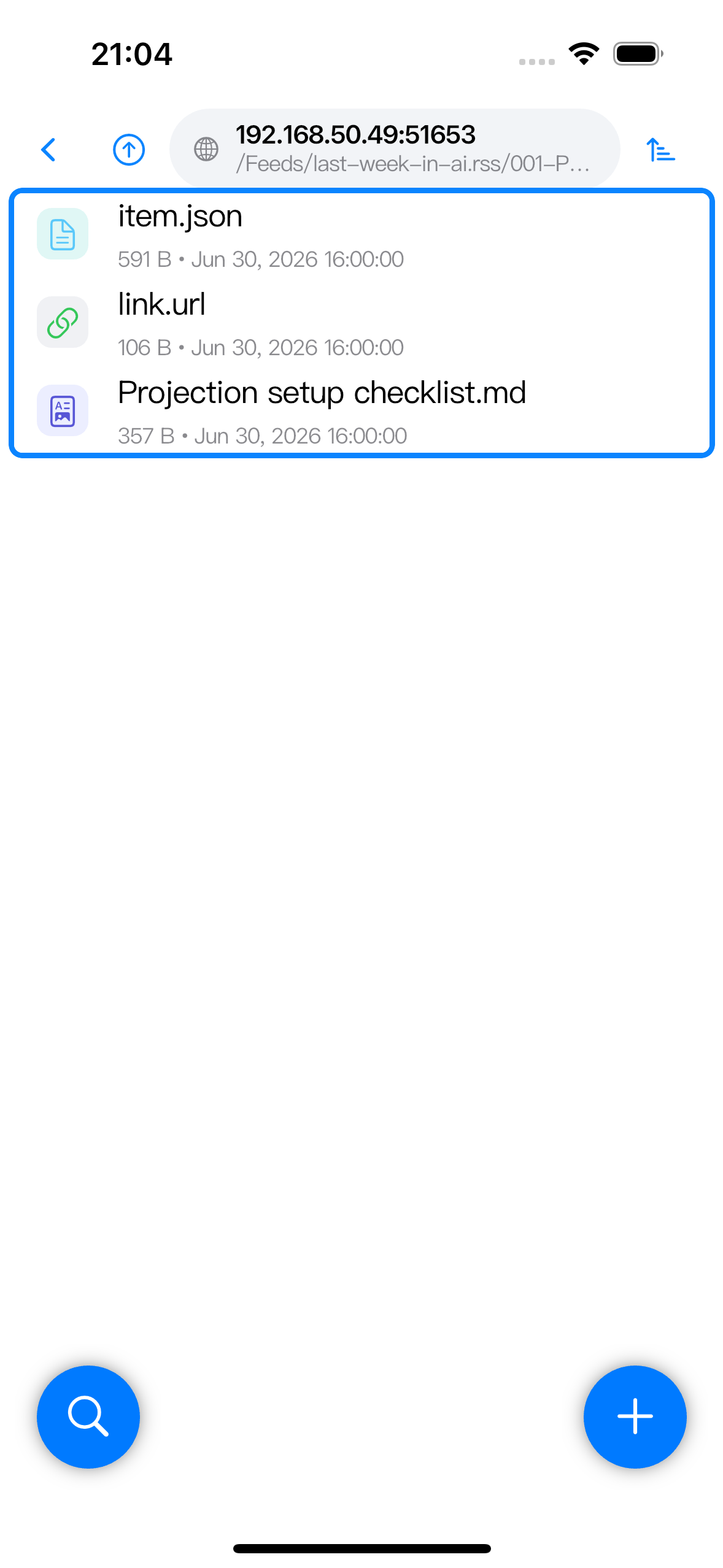
Open an item folder to browse the files generated for that feed item. RSS articles usually include an item.json metadata file, link.url, and a Markdown summary. Feeds with media enclosures can also expose media proxy files or link files depending on the resolver’s media mode.
Use OPML sources
A .rss marker file can contain an OPML URL. In that case, the resolver reads the OPML outline and exposes categories and feeds as nested folders. Zwind resolves child feeds lazily as you enter them, so one slow feed should not block browsing the OPML root.
Feed View’s Add Feed flow handles OPML differently. OPML Import discovers the outline first and then creates one .rss marker file for each selected feed in your chosen RSS Projection folder. Use it when you want separate feed files that are easy to remove, rename, group, or sync. Put the OPML URL directly in one .rss marker when you want the OPML outline itself to stay as one projected tree.
Materialize, archive, and cache
Open the binding editor when you need persistence options. The RSS resolver settings include Materialize on Resolve, Archive Retention Days, Maximum Archived Items, Cache Full Text, and Download Images.
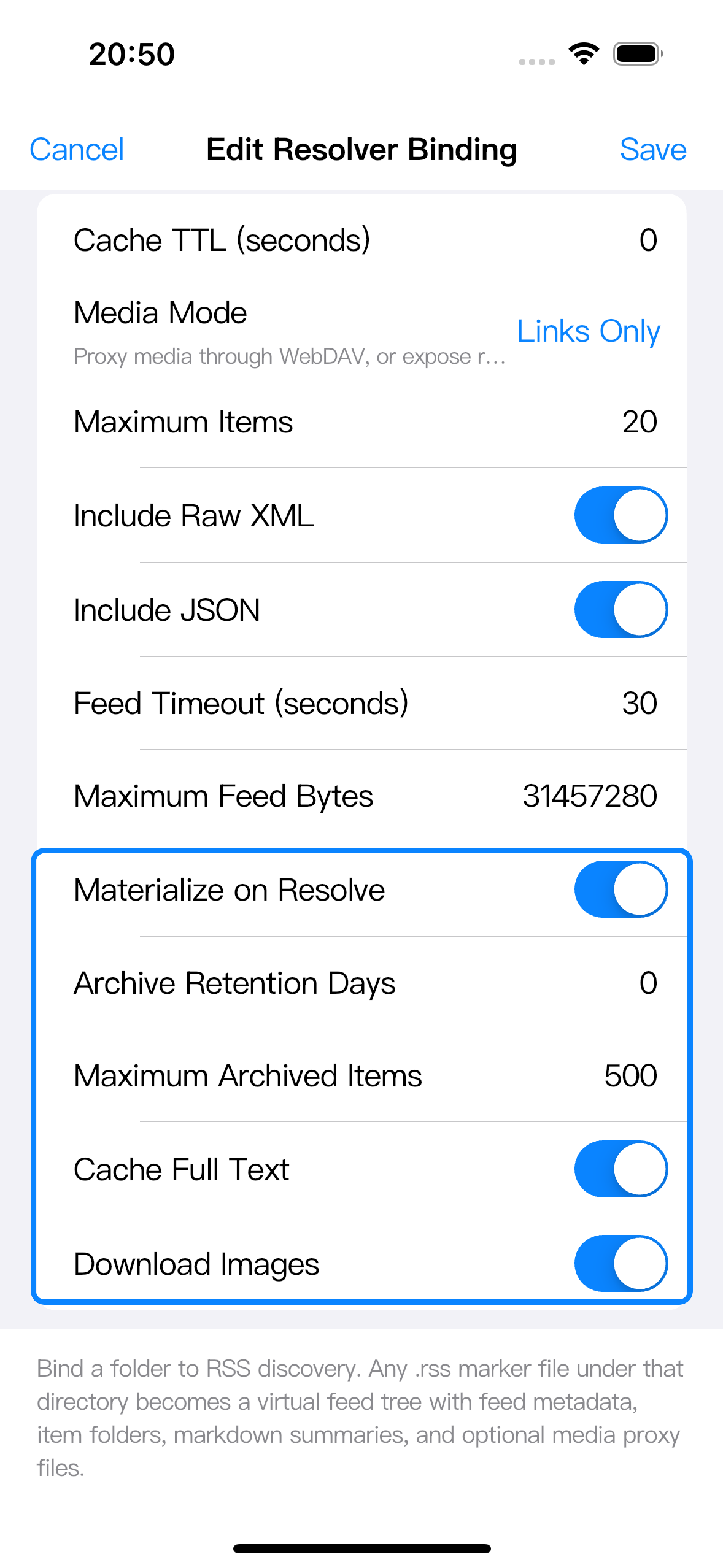
These options only apply when the corresponding resolver settings are enabled:
| Setting | What it is for |
|---|---|
| Materialize on Resolve | Persists the current RSS window when the feed is resolved, so current entries can remain available after the upstream feed changes or is temporarily unavailable. |
| Archive Retention Days | Controls age-based cleanup for materialized items that have left the current feed window. 0 disables age-based cleanup. |
| Maximum Archived Items | Limits how many older materialized items remain after they leave the current feed window. 0 means unlimited history for that limiter. |
| Cache Full Text | Reserves full-text caching behavior for materialized RSS items. |
| Download Images | Persists image references for materialized RSS items. |
Materializing and caching are useful when you want stable offline access, when a feed keeps only a small recent window, or when media clients need predictable files. They use local storage, and they do not mean Zwind will save every historical item by default. The archive is for entries that were once in the current feed window and later disappeared from it, subject to the retention and maximum-item settings.