


Configure SMB to WebDAV
Fill the SMB2/3 Share fields in Zwind for a NAS, Windows or Mac share, or guest SMB access.
Use SMB2/3 Share when the source files are on a NAS, a Windows shared folder, a Mac file sharing share, or another SMB server. Zwind connects to that SMB source, then uses the server entry you are creating to expose the selected source.
Choose SMB2/3 Share
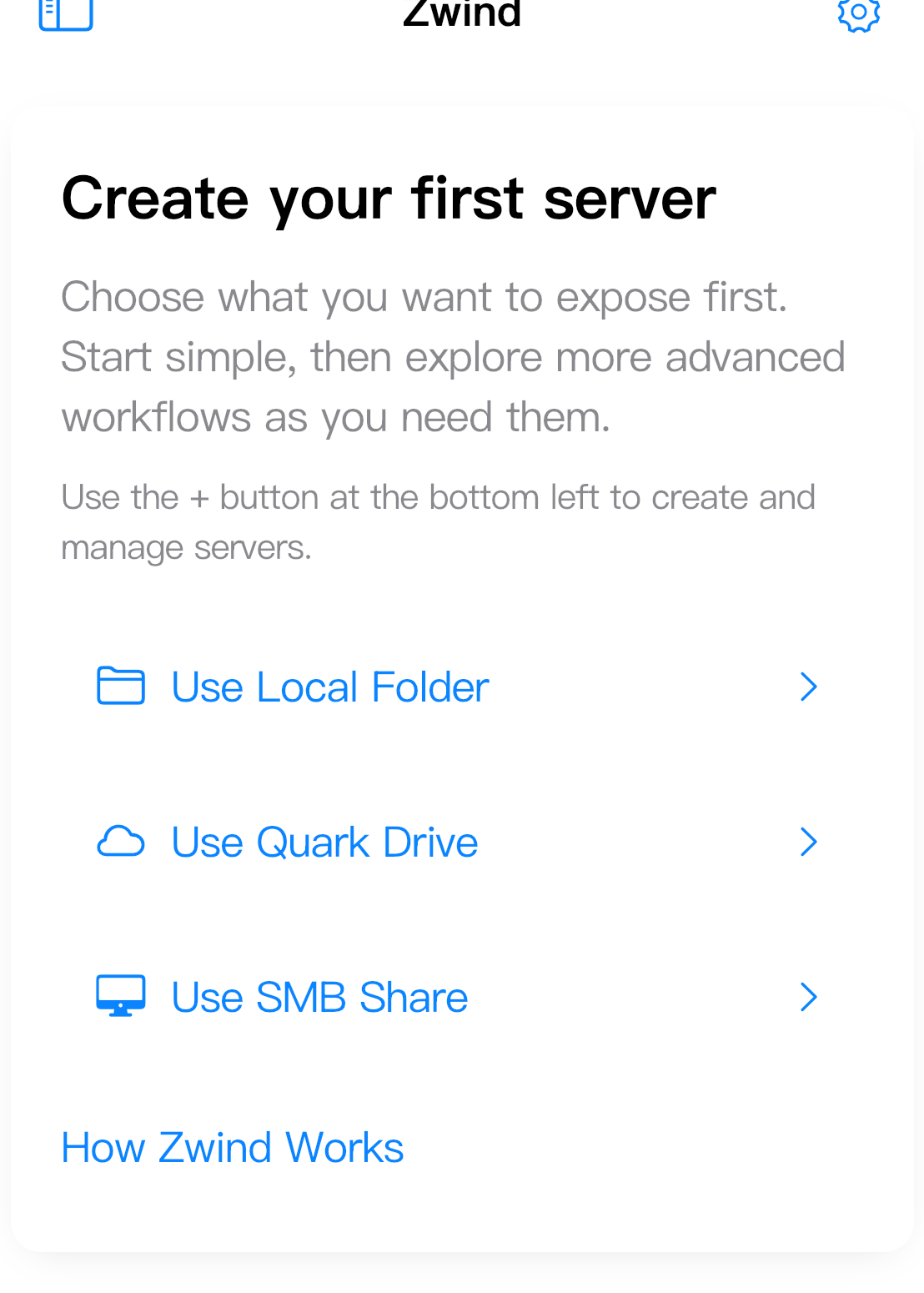
On a fresh Home screen, tap Use SMB Share. If you already have a server, tap the + button at the bottom left, then choose SMB as the storage type.
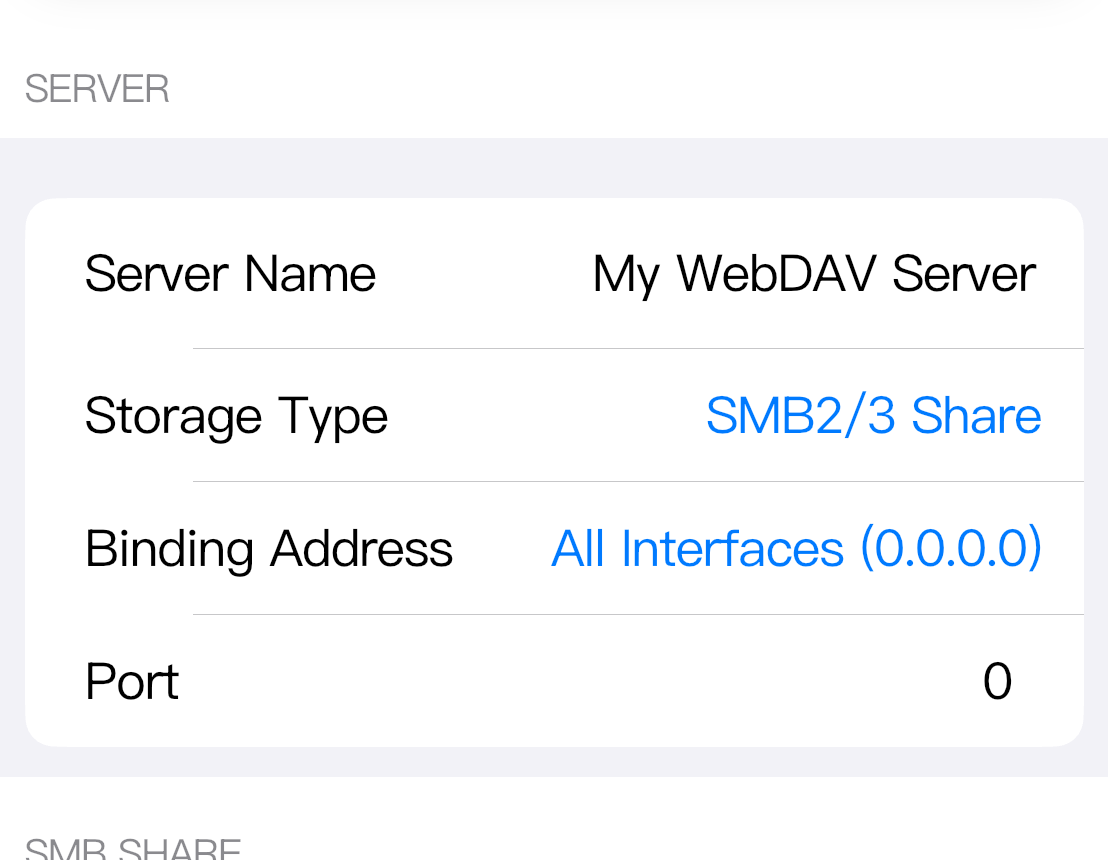
On the configuration screen, confirm that Storage Type is SMB2/3 Share.
Fill the SMB fields
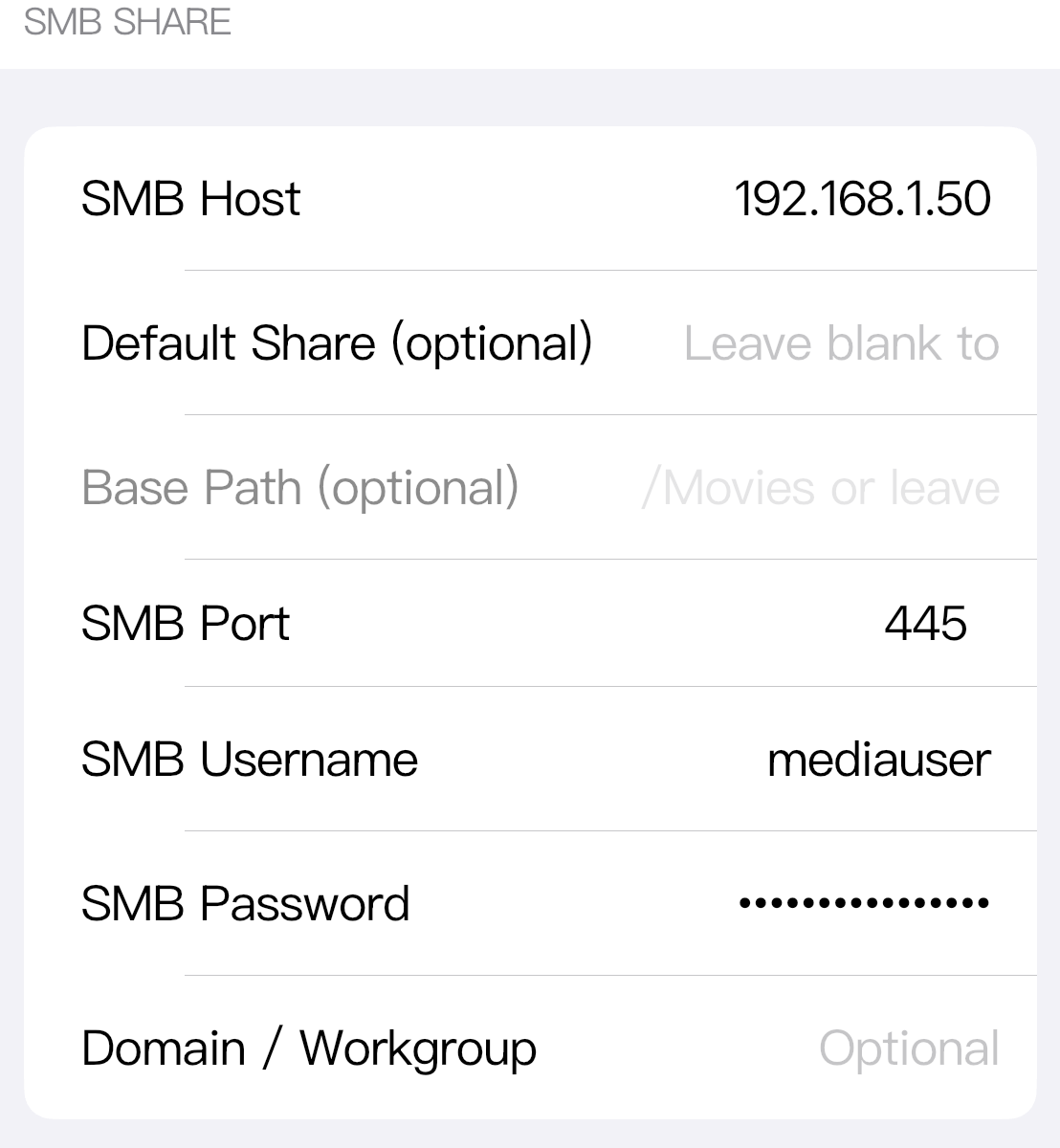
Scroll to SMB SHARE. These fields describe the upstream SMB server, not the WebDAV address that clients will use later.
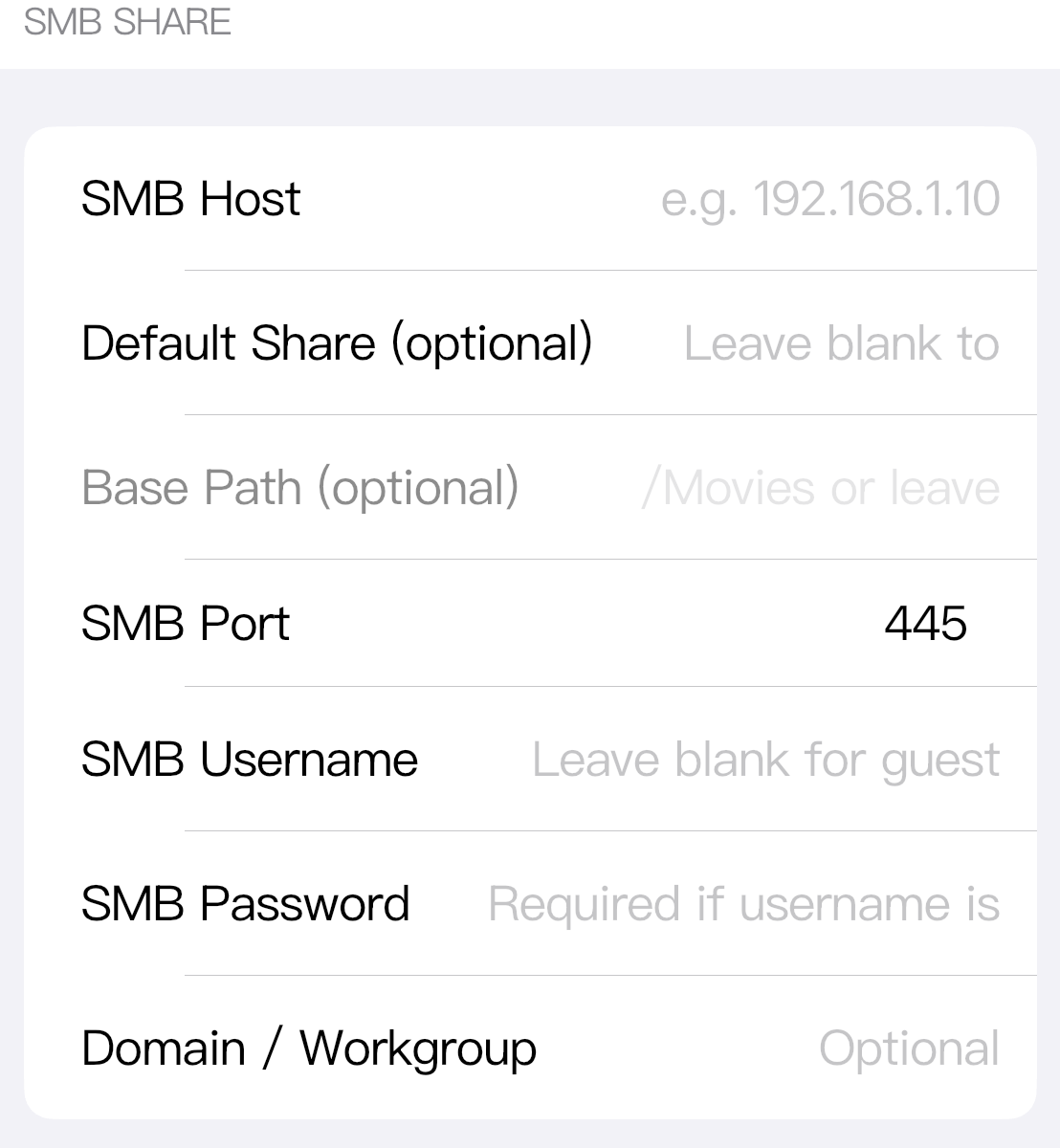
SMB Host is the SMB server address. Enter only the host name or IP address, such as 192.168.1.50, nas.local, or office-pc. Do not include smb://, the share name, or a folder path in this field.
Default Share (optional) is the share name on that SMB server, such as Media, Public, Movies, or Users. Use the exact share name shown by the NAS or computer sharing settings. Do not add slashes. Leave it blank if you want Zwind to browse the available shares first.
Base Path (optional) is a folder inside the selected share, for example /Movies, /Videos/TV, or /Backups/iPhone. It is not the share name. If Default Share is blank, Base Path is not used yet because Zwind will start by listing shares.
SMB Port is the SMB service port. Keep 445 unless your SMB server is configured to listen on another port.
SMB Username is the SMB account name. Fill it when the share requires a user account. Leave it blank for guest access.
SMB Password is the password for that SMB account. Fill it when the username requires a password. Leave it blank for guest access or for a server account that has no password.
Domain / Workgroup is optional. Fill it only when your SMB server requires a domain or workgroup, such as WORKGROUP, HOME, or a company domain. For most home NAS and computer shares, it can stay blank.
NAS example
For a NAS share named Media with a normal user account:
| Field | Value |
|---|---|
| SMB Host | 192.168.1.50 |
| Default Share | Media |
| Base Path | /Movies or blank for the share root |
| SMB Port | 445 |
| SMB Username | mediauser |
| SMB Password | the NAS password for mediauser |
| Domain / Workgroup | blank, unless the NAS requires one |
If the NAS UI shows a path like smb://192.168.1.50/Media/Movies, split it this way: host 192.168.1.50, share Media, base path /Movies.
Computer share examples
For a Windows shared folder:
| Field | Example |
|---|---|
| SMB Host | office-pc or 192.168.1.23 |
| Default Share | Videos |
| Base Path | /Projects if you want to start inside Videos/Projects; otherwise blank |
| SMB Username | the Windows account allowed to open the share |
| Domain / Workgroup | fill only if the Windows share expects it |
For a Mac file sharing share:
| Field | Example |
|---|---|
| SMB Host | mac-mini.local or the Mac IP address |
| Default Share | Movies |
| Base Path | /Archive if you want to start inside Movies/Archive; otherwise blank |
| SMB Username | the macOS user allowed to open the share |
| Domain / Workgroup | usually blank |
Guest access
Use guest access only when the SMB server itself allows guest access to that share.
| Field | Value |
|---|---|
| SMB Host | the NAS or computer address |
| Default Share | the guest-readable share, or blank to browse shares first |
| Base Path | a folder inside the share, or blank |
| SMB Port | 445 |
| SMB Username | blank |
| SMB Password | blank |
| Domain / Workgroup | blank unless the server requires one |
After the required SMB fields are filled, tap Save. If Save is still disabled, check that SMB Host is filled and that SMB Port contains a valid number.